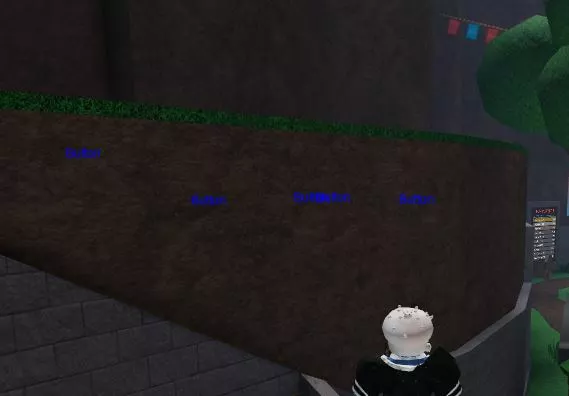
Functions: ESP Buttons

Installation guide:Copy the script from the button below.Run any Injector (We recommend KRNL Injector)Install it, insert the script and click executeEnjoy it)
Thank you for using our website
Your script:
 getgenv().buttonEsp = true
 task.spawn(function()
 while task.wait(.1) do
 if getgenv().buttonEsp == true then
 local gui = Instance.new("BillboardGui")
    local esp311 = Instance.new("TextLabel",gui)
    gui.Name = "esp"
    gui.ResetOnSpawn = false
    gui.AlwaysOnTop = true;
    gui.LightInfluence = 0;
    gui.Size = UDim2.new(1.75, 0, 1.75, 0);
    esp311.BackgroundColor3 = Color3.fromRGB(0,255,0);
    esp311.Text = ""
    esp311.Size = UDim2.new(0.0001, 0.00001, 0.0001, 0.00001);
    esp311.BorderSizePixel = 4;
    esp311.BorderColor3 = Color3.new(0,255,0)
    esp311.BorderSizePixel = 0
    esp311.Font = "Arial"
    esp311.TextSize = 12
    esp311.TextColor3 = Color3.fromRGB(0,255,0)
    for i,v in pairs(workspace:GetDescendants()) do
        if v:IsA("ClickDetector") and v.Parent:FindFirstChildOfClass("BillboardGui") == nil then
 if v.Parent.Parent.Name == "ClothingStand" then
     elseif v.Parent.Parent.Parent.name == "TicTacToe" then
     else
      esp311.TextColor3 = Color3.fromRGB(0,0,255)
                esp311.Text = "Button"
                gui:Clone().Parent = v.Parent
        end
        end
end
 end
 end
end)
   task.spawn(function()
       while task.wait(.1) do
        if getgenv().buttonEsp == false then
             for i,v in pairs(workspace:GetDescendants()) do
        if v:IsA("BillboardGui") and v:FindFirstChildOfClass("TextLabel").Text == "Button" then
v:Destroy()
            end
             end
        end
end
end)
Leave a Comment