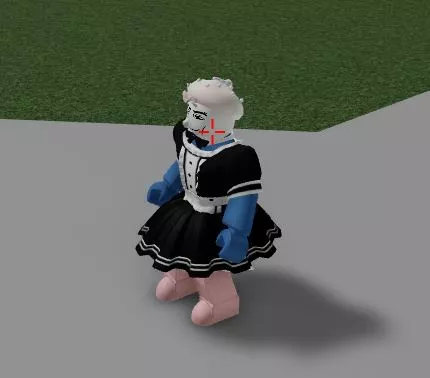
Functions: creates a crosshair on the screen

Video showcase:
https://www.youtube.com/watch?v=KpM6WjixzOMInstallation guide:Copy the script from the button below.Run any Injector (We recommend KRNL Injector)Install it, insert the script and click executeEnjoy it)
Thank you for using our website
Your script:
					-- Custom Crosshair by zzerexx#3970
getgenv().CrosshairSettings = {
    Color = Color3.fromRGB(255,0,0),
    RainbowColor = false,
    Opacity = 1,
    Length = 10, -- Length of each line
    Thickness = 2, -- Thickness of each line
    Offset = 3, -- Offset from the middle point
    Dot = false, -- not recommended
    FollowCursor = true, -- Crosshair follows the cursor
    HideMouseIcon = true, -- Hides the mouse icon, set to 0 to ignore
    HideGameCrosshair = true, -- Hides the current game's crosshair (if its supported)
    ToggleKey = Enum.KeyCode.RightAlt, -- Toggles crosshair visibility
} -- v1.2.1
loadstring(game:HttpGet("https://raw.githubusercontent.com/zzerexx/scripts/main/CustomCrosshair.lua", true))()
Leave a Comment