Missile Wars script: Auto Launch Rockets [Open Source]
This script automatically launches rockets for you in Missile Wars, making attacks much faster and easier during battles. If you own VIP launchers, the script can fire multiple…
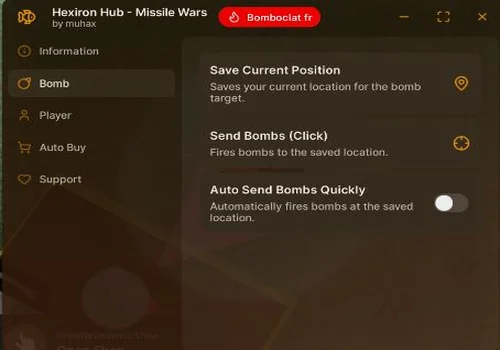
This script automatically launches rockets for you in Missile Wars, making attacks much faster and easier during battles. If you own VIP launchers, the script can fire multiple rockets at once for even more damage and pressure on enemy bases.
Good for fast PvP attacks, AFK launching, and building your missile empire quicker.
Key Functions
4 listed functions
✓ Auto Launch Rockets✓ VIP Multi Rocket Launch✓ AFK Rocket Farming✓ Fast PvP Attacks
Script Code
287 lines · 8 KB · Lua
Review the code before running it. Use scripts responsibly and only with tools you trust.
--// LOAD RAYFIELD
local Rayfield = loadstring(game:HttpGet("https://sirius.menu/rayfield"))()

--// SERVICES
local Players = game:GetService("Players")
local RunService = game:GetService("RunService")
local ReplicatedStorage = game:GetService("ReplicatedStorage")
local TeleportService = game:GetService("TeleportService")
local HttpService = game:GetService("HttpService")

local LocalPlayer = Players.LocalPlayer

--// REMOTE
local LaunchAllMissiles = ReplicatedStorage:WaitForChild("Game")
    :WaitForChild("Remotes")
    :WaitForChild("LaunchAllMissiles")

--// BUILD LOOKUP
local BUILD_TYPES = {
    "Small House","Farm","Medium House","Large House","Greenhouse","Apartment",
    "Bank","Trade Port","Oil Rig","Factory","Industrial Factory",
    "Skyscraper","Power Plant","Anti Air"
}

local BUILD_SET = {}
for _, name in ipairs(BUILD_TYPES) do
    BUILD_SET[name] = true
end

--// SETTINGS
local Settings = {
    Enabled = false,
    Burst = true,
    BurstCount = 3,
    BurstDelay = 0.05,
    FireDelay = 0.08,
    TargetBuildings = {}
}

-- Initialize all buildings as targeted
for _, name in ipairs(BUILD_TYPES) do
    Settings.TargetBuildings[name] = true
end

local lastFire = 0

--// FIRE LOGIC
local function canFire()
    return tick() - lastFire >= Settings.FireDelay
end

local function fire(position)
    if not position or not canFire() then return end
    lastFire = tick()
    LaunchAllMissiles:FireServer(position)
end

local function burstFire(position)
    if not position then return end

    if Settings.Burst then
        for i = 1, Settings.BurstCount do
            fire(position)
            task.wait(Settings.BurstDelay)
        end
    else
        fire(position)
    end
end

--// SERVER FUNCTIONS
local function rejoinServer()
    TeleportService:Teleport(game.PlaceId, LocalPlayer)
end

local function newServer()
    local success, servers = pcall(function()
        return HttpService:JSONDecode(game:HttpGet(
            "https://games.roblox.com/v1/games/" .. game.PlaceId .. "/servers/Public?sortOrder=Asc&limit=100"
        ))
    end)

    if success and servers and servers.data then
        for _, server in pairs(servers.data) do
            if server.playing < server.maxPlayers then
                TeleportService:TeleportToPlaceInstance(game.PlaceId, server.id, LocalPlayer)
                return
            end
        end
    end

    -- fallback
    TeleportService:Teleport(game.PlaceId)
end

--// CHECKS
local function hasForcefield(plot)
    return plot:FindFirstChild("ForcefieldStatus", true)
end

local function isOwnPlot(plot)
    for _, gui in ipairs(plot:GetDescendants()) do
        if gui:IsA("BillboardGui") and gui.Name:find("UserInfo") then
            for _, txt in ipairs(gui:GetDescendants()) do
                if txt:IsA("TextLabel") or txt:IsA("TextBox") then
                    if txt.Text == LocalPlayer.Name or txt.Text == LocalPlayer.DisplayName then
                        return true
                    end
                end
            end
        end
    end
    return false
end

--// TARGETING
local function processPlot(plot)
    if hasForcefield(plot) or isOwnPlot(plot) then return end

    local buildings = {}

    --// BUILDINGS
    for _, obj in ipairs(plot:GetDescendants()) do
        if BUILD_SET[obj.Name] and Settings.TargetBuildings[obj.Name] then
            local pos = obj:IsA("BasePart") and obj.Position
                or (obj.PrimaryPart and obj.PrimaryPart.Position)

            if pos then
                table.insert(buildings, pos)
            end
        end
    end

    for _, pos in ipairs(buildings) do
        burstFire(pos)
    end
end

--// LOOP
RunService.Heartbeat:Connect(function()
    if not Settings.Enabled then return end

    local active = workspace:FindFirstChild("Plots")
        and workspace.Plots:FindFirstChild("ActivePlots")

    if not active then return end

    for _, plot in ipairs(active:GetChildren()) do
        processPlot(plot)
    end
end)

--// UI
local Window = Rayfield:CreateWindow({
    Name = "Missile Wars",
    LoadingTitle = "Missile Wars",
    LoadingSubtitle = "Made by R3D",
    ConfigurationSaving = { Enabled = false }
})

local MainTab = Window:CreateTab("Main", 4483362458)
local SettingsTab = Window:CreateTab("Settings", 4483362458)
local TargetsTab = Window:CreateTab("Targets", 4483362458)
local ServerTab = Window:CreateTab("Server", 4483362458)

MainTab:CreateToggle({
    Name = "Enable Launcher",
    CurrentValue = false,
    Callback = function(val)
        Settings.Enabled = val
    end
})

MainTab:CreateToggle({
    Name = "Burst Mode",
    CurrentValue = true,
    Callback = function(val)
        Settings.Burst = val
    end
})

MainTab:CreateButton({
    Name = "🚨 PANIC - Uninject",
    Callback = function()
        Settings.Enabled = false
        Rayfield:Notify({
            Title = "Panic Mode Activated",
            Content = "All systems disabled - Script uninjected",
            Duration = 3
        })
        task.wait(1)
        Window:Close()
    end
})

SettingsTab:CreateSlider({
    Name = "Burst Count",
    Range = {1, 50},
    Increment = 1,
    CurrentValue = 15,
    Callback = function(val)
        Settings.BurstCount = val
    end
})

SettingsTab:CreateSlider({
    Name = "Burst Delay",
    Range = {0.01, 0.2},
    Increment = 0.01,
    CurrentValue = 0.05,
    Callback = function(val)
        Settings.BurstDelay = val
    end
})

SettingsTab:CreateSlider({
    Name = "Fire Delay",
    Range = {0.01, 0.2},
    Increment = 0.01,
    CurrentValue = 0.08,
    Callback = function(val)
        Settings.FireDelay = val
    end
})

--// TARGETS TAB - BUILDINGS
TargetsTab:CreateDropdown({
    Name = "Building Types",
    Options = BUILD_TYPES,
    CurrentOption = BUILD_TYPES,
    MultipleOptions = true,
    Flag = "BuildingDropdown",
    Callback = function(options)
        -- Reset all buildings to false
        for _, buildName in ipairs(BUILD_TYPES) do
            Settings.TargetBuildings[buildName] = false
        end
        -- Enable only selected buildings
        for _, selectedBuild in ipairs(options) do
            Settings.TargetBuildings[selectedBuild] = true
        end
    end
})

ServerTab:CreateButton({
    Name = "🔄 Rejoin Server",
    Callback = function()
        Rayfield:Notify({
            Title = "Rejoining...",
            Content = "Teleporting to same server",
            Duration = 3
        })
        local success, err = pcall(rejoinServer)
        if not success then
            Rayfield:Notify({
                Title = "Error",
                Content = "Failed to rejoin: " .. tostring(err),
                Duration = 3
            })
        end
    end
})

ServerTab:CreateButton({
    Name = "🌐 New Server",
    Callback = function()
        Rayfield:Notify({
            Title = "Switching Server...",
            Content = "Finding new server",
            Duration = 3
        })
        local success, err = pcall(newServer)
        if not success then
            Rayfield:Notify({
                Title = "Error",
                Content = "Failed to find server: " .. tostring(err),
                Duration = 3
            })
        end
    end
})

Rayfield:Notify({
    Title = "Missile System Loaded",
    Content = "Rayfield UI + Server Controls Ready",
    Duration = 4
})
FAQ
Is this Missile Wars script keyless?
This script is currently marked as NO KEY.
What features does this script include?
Auto Launch Rockets VIP Multi Rocket Launch AFK Rocket Farming Fast PvP Attacks
How do I use this script?
Copy the Lua code from the Script Code section and review it before running it in your preferred Roblox script executor.
Comments
0
No comments yet.
Want to leave a comment?
You need to register or log in before liking scripts or posting comments.


Comments
0No comments yet.
You need to register or log in before liking scripts or posting comments.