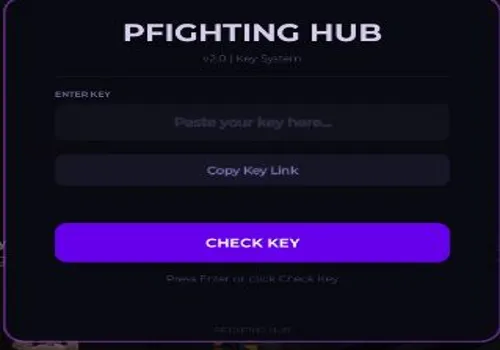
KEY SYSTEM
0 views
Phighting script: Aim Assist, ESP

Description
- Combat Tab
- Aim Assist – Toggle automatic aiming on or off
- FOV Mode – Choose between Camera or Mouse based field of view
- Aim Key – Set which key activates aim assist (default Right Click, rebindable)
- FOV Radius – Adjust aim assist field of view from 10 to 500
- Smoothness – Set aim transition smoothness from 1 to 20
- Target Part – Select Head, HumanoidRootPart, or UpperTorso as aim target
- Show FOV Circle – Toggle visual field of view ring on screen
- Aimbot Mode – Switch between Legit or Rage mode (Rage currently bugged)
- Sticky Aim – Locks aim onto target once acquired
- Aim Prediction – Predicts enemy movement for more accurate shots
- Aim Shake – Adds visual shake effect from 0 to 10
- Exploits Tab
- Extend Hit Range – Enlarges enemy hitboxes for easier hits
- Range Multiplier – Adjust hitbox size multiplier from 2 to 8
- Hitbox Transparency – Set hitbox visibility from 0 to 100 percent
- Noclip – Walk freely through walls and obstacles
- Infinite Jump – Allows unlimited consecutive jumps
- Speed Boost – Increase movement speed from 1 to 5 times normal
- Jump Boost – Increase jump height from 1 to 5 times normal
- Refresh Character – Button to respawn refresh your character
- Reset Character – Button to fully reset your character
- Spawn Jump – Button to perform a spawn jump
- Teleport to Nearest Enemy – Button to instantly move to closest enemy (keybind: T)
- Visuals Tab
- Team Check – Toggle team filtering for all visual features
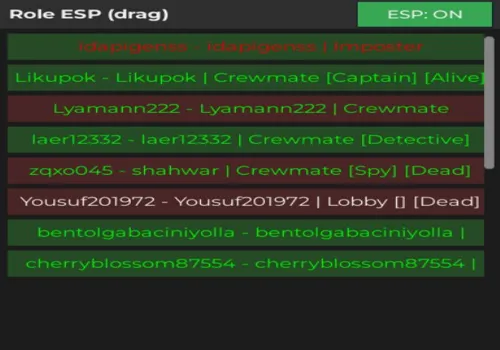
- ESP Highlight – Toggle glow highlights through walls
- ESP Names – Toggle player name display through walls
- ESP Distance – Toggle distance display through walls
- ESP Health – Toggle health bar display through walls
- Enemy Label – Toggle enemy identification label
- Weapon ESP – Toggle weapon highlight through walls
- ESP Rainbow – Toggle rainbow cycling colors for ESP
- ESP Opacity – Adjust ESP transparency from 0 to 100
- Tracers – Toggle line from camera to target
- Tracer Origin – Set tracer start point at Bottom or Center of screen
- Box ESP – Toggle bounding box around players
- Box Style – Switch between Corners or Full box
- Off-screen Indicators – Show arrows pointing to enemies off screen
- Set Player Color – Choose custom color for player ESP
- Set Team Color – Choose custom color for team ESP
- Hitbox Viewer – Toggle wireframe overlay showing hitboxes
- Fullbright – Toggle maximum brightness, removes shadows
- No Fog – Toggle removal of environmental fog
- Night Mode – Toggle dark visual filter
- No Particles – Toggle removal of particle effects
- Crosshair – Toggle custom crosshair display
- Stats Tab
- Session Stats – Display kills, deaths, KDR, FPS, ping, and session time
- Reset Stats – Button to reset current session statistics
- Interface Tab
- Theme – Choose from 10 themes (Midnight, Cyberpunk, Ocean, Emerald, Sunset, Frost, Blood, Neon, Sakura, Void)
- Rainbow Accent – Toggle rainbow color cycling for UI elements
- Rainbow Speed – Adjust rainbow animation speed from 1 to 10
- Compact Mode – Reduce UI element size for smaller footprint
- Show Array List – Toggle display of active features list
- Array Shimmer – Toggle shimmer effect on feature list
- Config Tab
- Profiles – Save, load, delete, or reset named configuration profiles
- Profile list – Scroll through saved profiles
- Keybinds Info – Display all available keybinds
- Exit Hub – Button that saves profiles and cleans up script
- System
- Auto-save on exit – Profiles automatically persist per Roblox username
- Old profile migration – Automatically detects and converts old generic profiles
- Command bar – Press ; key for commands like /noclip, /fullbright, /hitrange
- Minimize – Press Right Control to minimize hub
- Show/Hide Hub – Press K key to toggle hub visibility
More
Explore more PHIGHTING! scripts
Related posts
Script Code
loadstring(game:HttpGet("https://raw.githubusercontent.com/god124/PFIGHTING/refs/heads/main/.OP"))()