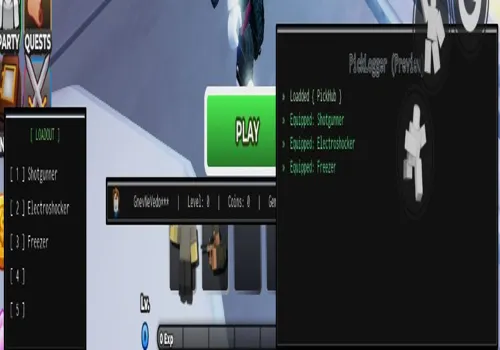

Defend your base against relentless zombie hordes in Tower Defense Simulator! Team up with friends, face powerful bosses, and unlock new units. With auto-placement, upgrades, and discord integration, you can focus on strategy and survival in this cooperative tower defense challenge.
Game link: TDS
Table of Contents
--[[

Please Set ur own Settings.

PC ONLY

Discord: .gg/E7BJPsQAWd
MadeBy: Pick

--]]


getgenv().PickHubLOL = {
    --                      [ Settings ]
    AutoStrat = true,
    autoskip = false,
    AntiLag = false,
    AutoPickups = true,
    TimeScale = false,
    ANTIAFK = true,

    --                      [[ Webhook ]]
    SendWebhook = true,
    Webhook = "",
    macroURL = "https://raw.githubusercontent.com/8zj/TDSHub/refs/heads/main/Strats/LowPizza.lua",

    --                       [ Config ]
    TimeScale = false,
    Loadout = {"Shotgunner", "Electroshocker", "Freezer","",""},
    Mode = "Pizza Party",
    GameInfo = {""}
}
loadstring(game:HttpGet("https://raw.githubusercontent.com/8zj/TDSHub/refs/heads/main/Loader/Loader.lua"))()
Script Features:
- Auto Place – Automatically places defensive units in optimal locations.
- Auto Sell – Automatically sells towers for refunds.
- Auto Upgrade Towers – Upgrades all placed towers to their maximum level.
- Webhook Discord – Sends game stats and events to a Discord channel.
- Auto Skip – Automatically skips wave preparation time.
- Auto Ready – Automatically readies up for the next wave.
- Script developer: Pick Hub
How to use TDS script?
- Copy the script from the button bellow.
- Run any exploit (We recommend reading the list of the best exploits)
- Install it, insert the script and click execute
- Enjoy it)
Important information:
- All scripts are free.
- All scripts are safe to use.
- We do not have viruses or malware.
Leave a Comment