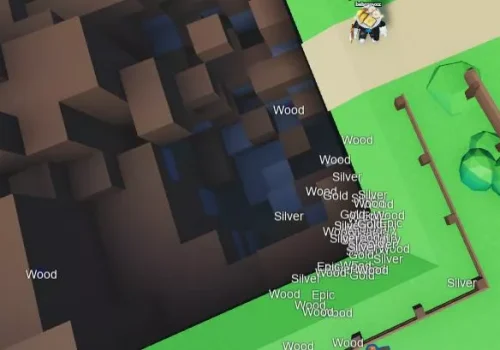
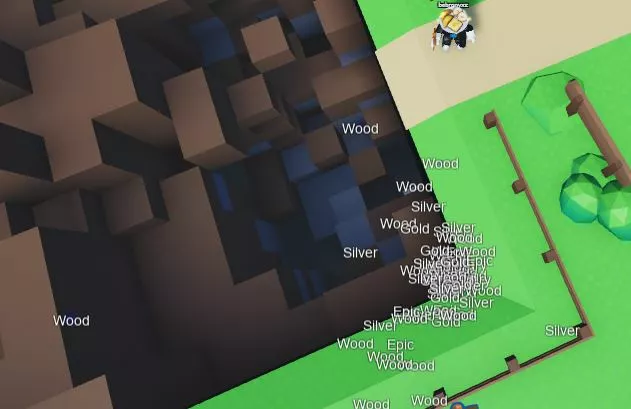
Functions: ESP
Installation guide:
Copy the script from the button below.
Run any Injector (We recommend KRNL Injector)
Install it, insert the script and click execute
Enjoy it)
Thank you for using our website
Your script:
					for __, v in pairs(game:GetService("Workspace").Chests:GetChildren()) do
  if v.ClassName == "Model" then
      local a = Instance.new("BillboardGui", v)
      a.Name = "ESP"
      a.Size = UDim2.new(5, 0, 5, 0)
      a.AlwaysOnTop = true
      local b = Instance.new("Frame", a)
      b.Size = UDim2.new(1, 0, 1, 0)
      b.BackgroundTransparency = 0.80
      b.BorderSizePixel = 0
      b.BackgroundColor3 = Color3.fromRGB(0, 0, 255)
      local c = Instance.new('TextLabel', b)
      c.Size = UDim2.new(1, 0, 1, 1)
      c.BorderSizePixel = 0
      c.TextSize = 15
      c.Text = v.Name
      c.BackgroundTransparency = 1
      c.TextColor3 = Color3.new(1, 1, 1)
      c.TextStrokeColor3 = Color3.fromRGB(6, 6, 6)
      c.TextStrokeTransparency = 0.7
  end
end

game:GetService("Workspace").Chests.ChildAdded:Connect(function(v)
  if v.ClassName == "Model" then
      local a = Instance.new("BillboardGui", v)
      a.Name = "ESP"
      a.Size = UDim2.new(5, 0, 5, 0)
      a.AlwaysOnTop = true
      local b = Instance.new("Frame", a)
      b.Size = UDim2.new(1, 0, 1, 0)
      b.BackgroundTransparency = 0.80
      b.BorderSizePixel = 0
      b.BackgroundColor3 = Color3.fromRGB(0, 0, 255)
      local c = Instance.new('TextLabel', b)
      c.Size = UDim2.new(1, 0, 1, 1)
      c.BorderSizePixel = 0
      c.TextSize = 15
      c.Text = v.Name
      c.BackgroundTransparency = 1
      c.TextColor3 = Color3.new(1, 1, 1)
      c.TextStrokeColor3 = Color3.fromRGB(6, 6, 6)
      c.TextStrokeTransparency = 0.7
  end
end)
Комментарии
No comments yet. Be the first.
Leave a comment